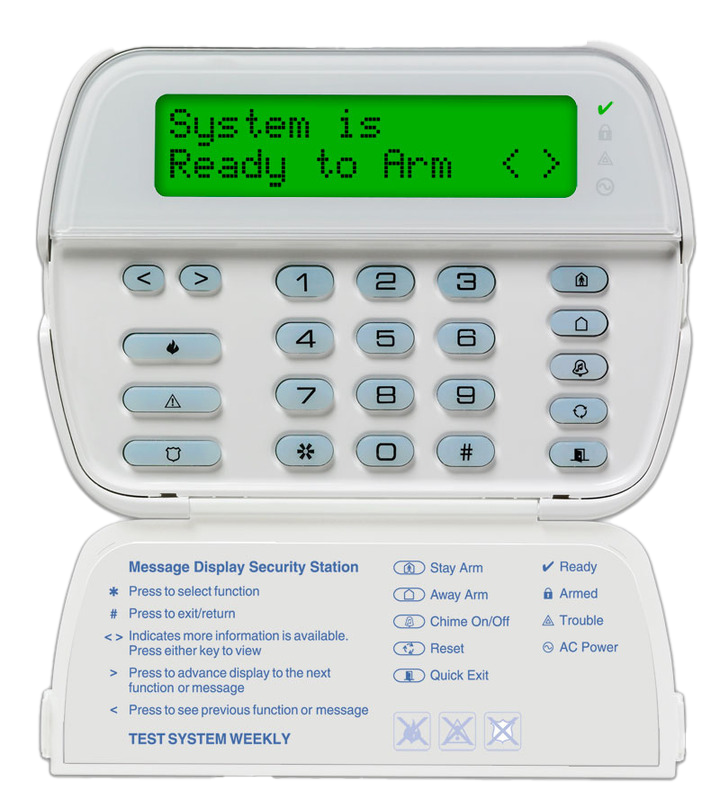

User Code Management
- Press [*][5].
- Enter the 4-digit master code. (This is usually the same as your alarm code).
You will hear 3 quick beeps if the code was correct.
You will hear 1 long beep if the code was incorrect and you can try again. - You will see one or more numbers scrolling across the screen.
Each of those numbers represents a user with a code entered in the system. User 40 is the master user. - Enter the two digit user number you want to edit. To add a new user, choose a number that was not shown on the previous step.
- Example: To edit user 2, enter [0][2]
- Enter the 4-digit alarm code you would like that user to have.
To remove the user, enter [*] instead. - Repeat from step 4 until you are done.
- Press [#][#] to save.
We recommend you keep track of which code is associated with each user number in a notebook or spreadsheet.
If you are unable to remember your master code, call Scott Security Technical Support: (604) 451-0300.