

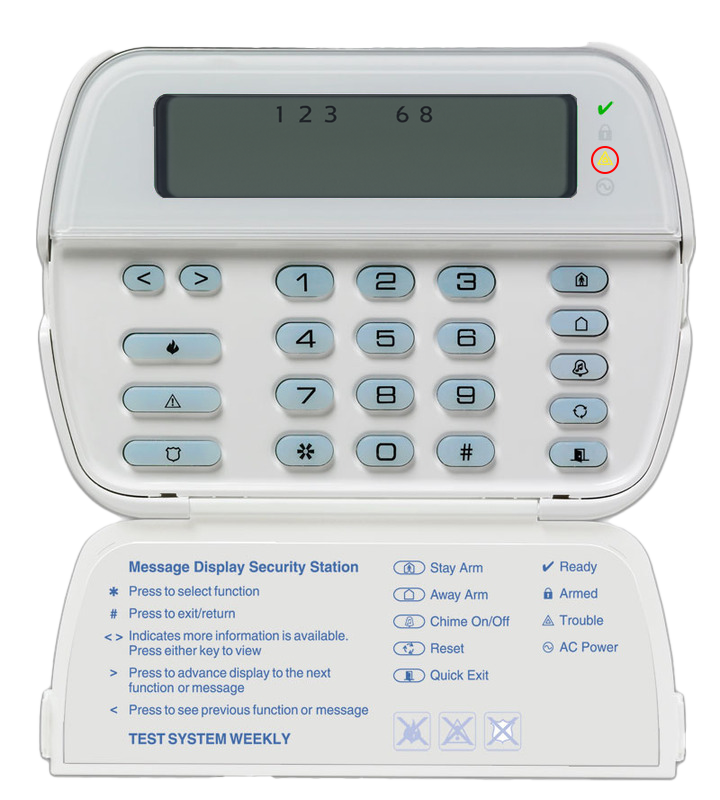
If the yellow trouble light is on and/or the keypad is beeping, please follow the steps below.
Checking trouble codes
- Press [*][2].
- One or more tiny numbers will appear in the upper portion of the screen.
- Match the number to the trouble condition in the chart below and follow the steps under Action.
Stopping trouble beeps
The beeping will stop once all trouble conditions have been resolved.
Press [#][#] to temporarily silence the trouble beeps.
If you need further assistance, call Scott Security at (604) 451-0300 for technical support.
| # | Trouble Condition | Action |
|---|---|---|
| 1 | Service Required |
|
| 2 | AC Loss | Troubleshoot a power failure. |
| 3 | Telephone Line Fault | Check if your landline has a dial tone. |
| 4 | Failure to Communicate | Initiate a manual test. |
| 5 | Zone Fault | Press [5] to see which zone is faulted. This can be caused by a dead battery. |
| 6 | Zone Tamper | Press [6] to see which zone is tampered. This can be caused by improperly closed casing following a battery replacement. |
| 7 | Wireless Low Battery |
This is caused by a low battery on a device.
Check our Sensor Battery Replacement Guide for battery sizes. Low Battery Beep Indicators:
|
| 8 | Loss of Clock/Date | Set the time and date. |